> For the complete documentation index, see [llms.txt](https://acoservice.gitbook.io/acoservice-documentation/llms.txt). Markdown versions of documentation pages are available by appending `.md` to page URLs; this page is available as [Markdown](https://acoservice.gitbook.io/acoservice-documentation/getting-started/what-it-is.md).
# What ACO Service is
How ACO Service works — a website per group, a Discord bot attached to it, and the three kinds of people who use it.
ACO Service gives an automated-checkout group its own members' website. Members sign in, see what was checked out for them, save the profiles used to check out, and pay what they owe — on the site. A Discord bot sits alongside it, catching checkout notifications, sending DMs, and handling a handful of commands.
If you have used a group that ran entirely out of Discord tickets and spreadsheets, the mental shift is this: the site holds the records, and Discord is where the group already talks.
## The site is where the work happens
Every group gets its own site. A member's whole relationship with the group lives there:
| What a member does | Where |
| -------------------------------------------------- | -------- |
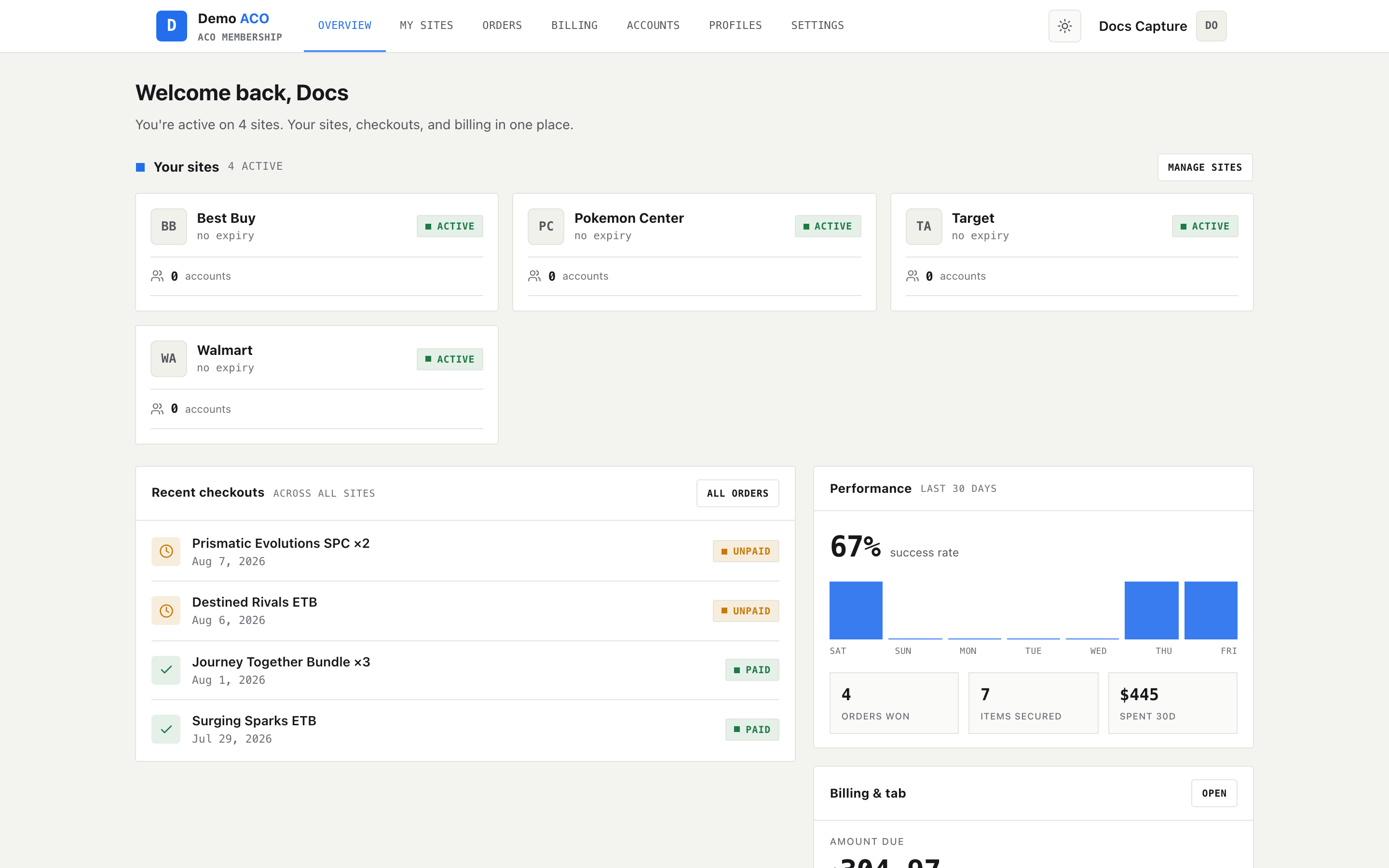
| See recent activity and outstanding balance | Overview |
| Sign up for the sites/drops the group is running | My sites |
| See what was checked out for them | Orders |
| Store addresses and cards used for checkout | Profiles |
| Store retailer account credentials the group needs | Accounts |
| See charges and pay the tab | Billing |
| Change notification preferences | Settings |
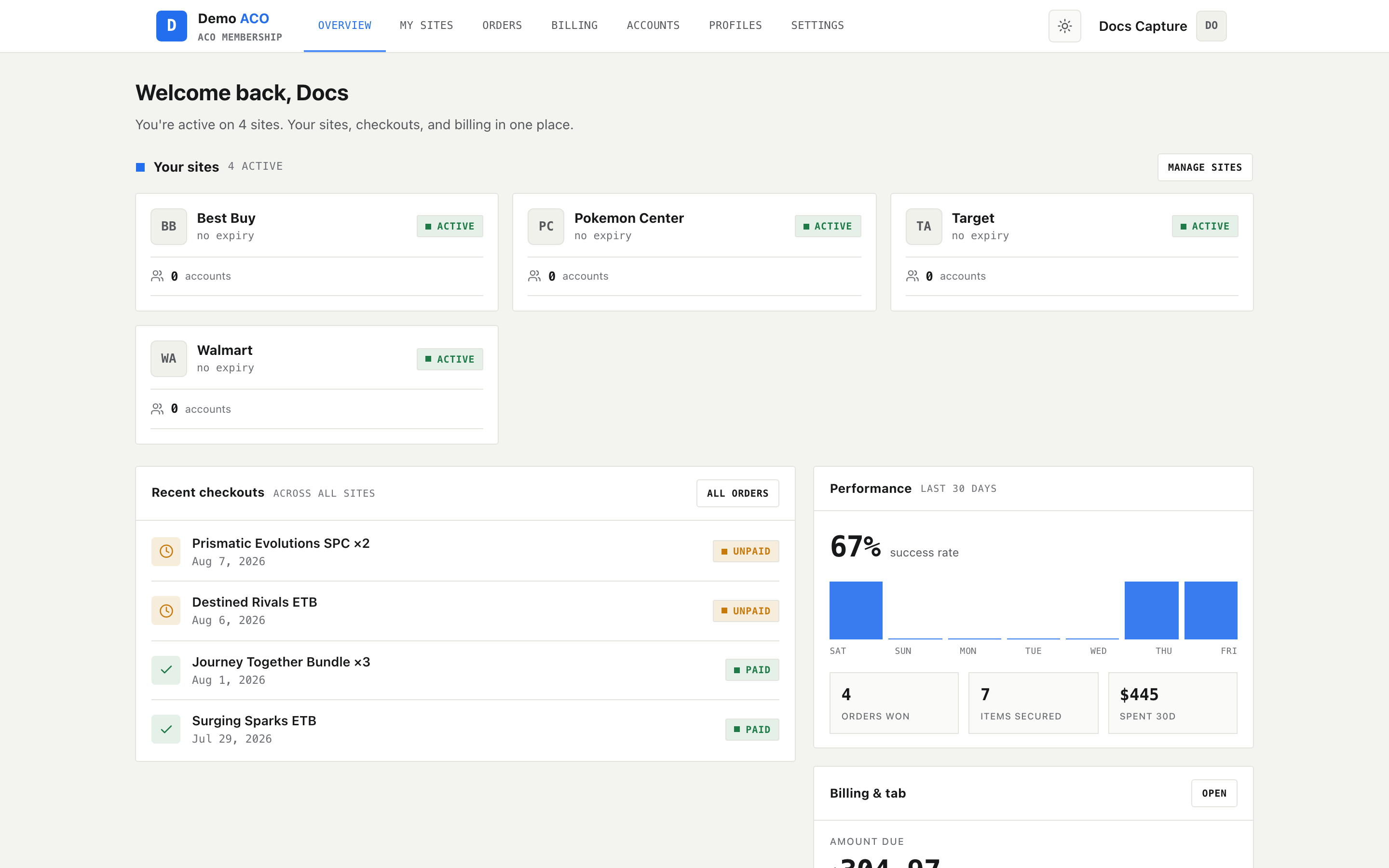
The member Overview — the first thing a member sees after signing in.
Admins get a second area on the same site, the admin console, for customers, products and pricing, tabs, invoices, stores, forms, the checkout feed and branding. See [Finding your way around](/acoservice-documentation/getting-started/navigation.md).
## What a tenant is
A **tenant** is one group. Each tenant has:
* **Its own site** — `yourslug.acoservice.app`, or a custom domain you point at us.
* **Its own branding** — logo, colours, landing-page copy, light or dark default.
* **Its own members, orders, profiles, tabs and invoices.** Data never crosses tenants.
* **Its own Discord server, and its own Discord bot.**
That last point is the one people get wrong. There is no single shared ACO Service bot that joins everyone's server. Your group runs a bot that is yours: your Discord application, your bot user, your bot token. It appears in your server under your own name.
The public landing page is per-tenant too — the wordmark, colours and copy are the group's own.
## The three credentials
A tenant's Discord application supplies **three** values, and the site needs all three:
| Credential | Where it comes from in the Discord developer portal | What it does |
| ------------- | --------------------------------------------------- | ------------------------------------------ |
| Client ID | OAuth2 / General Information | Identifies your app when a member signs in |
| Client Secret | OAuth2 | Completes the sign-in exchange |
| Bot token | The **Bot** tab — a different tab | What your bot logs into Discord with |
{% hint style="warning" %}
Client ID and Client Secret alone give you a site that works perfectly and a Discord server with no working bot. Nothing about the sign-in flow will look broken, because sign-in does not use the bot token. What breaks is everything the bot does: no DMs, no checkout feed, no slash commands, and no way to run `/aco-member add` to register members. This is the most common onboarding failure. Full walkthrough: [Your Discord application](/acoservice-documentation/setting-up-your-tenant/discord-application.md).
{% endhint %}
## What Discord still does
Discord is not the interface, but it is not decoration either. The bot:
* **Reads checkout notifications** posted into your server by checkout bots (Shikari, Refract/Prism, Stellara, HiddenAIO) and turns them into orders and tab charges.
* **Reposts them** to a public feed channel, if you enable the checkout feed.
* **Sends DMs** — invoices, reminders, and notifications.
* **Answers slash commands** — `/help`, `/submit`, `/my-submissions`, `/tab view`, plus admin groups like `/billing`, `/permissions`, `/checkout-feed`, `/aco-member`, `/release` and `/setup`.
See [How Discord fits in](/acoservice-documentation/discord-integration/discord.md) and the [slash command reference](/acoservice-documentation/reference/slash-commands.md).
## The three audiences
| You are | You use | You get there by |
| ---------------------------------------------------- | ----------------------------------------------------------- | ------------------------------------------------------------------------------------------- |
| **A member** of a group | The member area of your group's site | Signing in with Discord at your group's URL |
| **A tenant admin** — you run a group | The member area plus the admin console at `/admin` | Being registered as a tenant admin, or being granted bot permissions in your Discord server |
| **A platform operator** — you run ACO Service itself | The platform console at `/platform`, on the admin subdomain | Being the platform admin |
Members never see the admin console. Tenant admins never see the platform console. Nothing is hidden by CSS — the routes themselves are guarded, and a direct URL you are not entitled to redirects you back.
## Features can be switched off
Not every tenant runs every feature. Billing, forms, profiles, the checkout feed and SKU management are each per-tenant flags. When a flag is off, its navigation entry disappears **and** the route stops working — typing the URL redirects you to your Overview. So if this handbook describes a page you do not have, the feature is off for your tenant, not missing from the product. See [Feature flags](/acoservice-documentation/setting-up-your-tenant/feature-flags.md).
## Next
* [Signing in](/acoservice-documentation/getting-started/signing-in.md) — what Discord asks for, and what "access denied" means.
* [Finding your way around](/acoservice-documentation/getting-started/navigation.md) — the three navigations and who sees which.
---
# Agent Instructions
This documentation is published with GitBook. GitBook is the documentation platform designed so that both humans and AI agents can read, navigate, and reason over technical content effectively. Learn more at gitbook.com.
## Querying This Documentation
If you need additional information that is not directly available in this page, you can query the documentation dynamically by asking a question.
Perform an HTTP GET request on the current page URL with the `ask` query parameter, and the optional `goal` query parameter:
```
GET https://acoservice.gitbook.io/acoservice-documentation/getting-started/what-it-is.md?ask=&goal=
```
`ask` is the immediate question: it should be specific, self-contained, and written in natural language.
`goal` is optional and describes the broader end goal you are ultimately trying to accomplish on behalf of the user. GitBook uses it to tailor the answer towards what is most useful for that goal.
The response will contain a direct answer to the question and relevant excerpts and sources from the documentation.
Use this mechanism when the answer is not explicitly present in the current page, you need clarification or additional context, or you want to retrieve related documentation sections.