> For the complete documentation index, see [llms.txt](https://acoservice.gitbook.io/acoservice-documentation/llms.txt). Markdown versions of documentation pages are available by appending `.md` to page URLs; this page is available as [Markdown](https://acoservice.gitbook.io/acoservice-documentation/getting-started/signing-in.md).
# Signing in
Signing in with Discord — what the consent screen asks for, why the group's name appears on it, and what to do when access is denied.
{% hint style="info" %}
**This page is for members** — people who buy through an ACO. You sign in with Discord, on that ACO's own site.
If you **run** an ACO, you sign in somewhere else with a different account: see [Signing in as an owner](/acoservice-documentation/running-your-aco/signing-in.md).
{% endhint %}
There are no passwords. Every sign-in goes through Discord, because the group already knows you by your Discord account, and the bot needs that same identity to match checkouts and DMs to you.
## The sign-in page
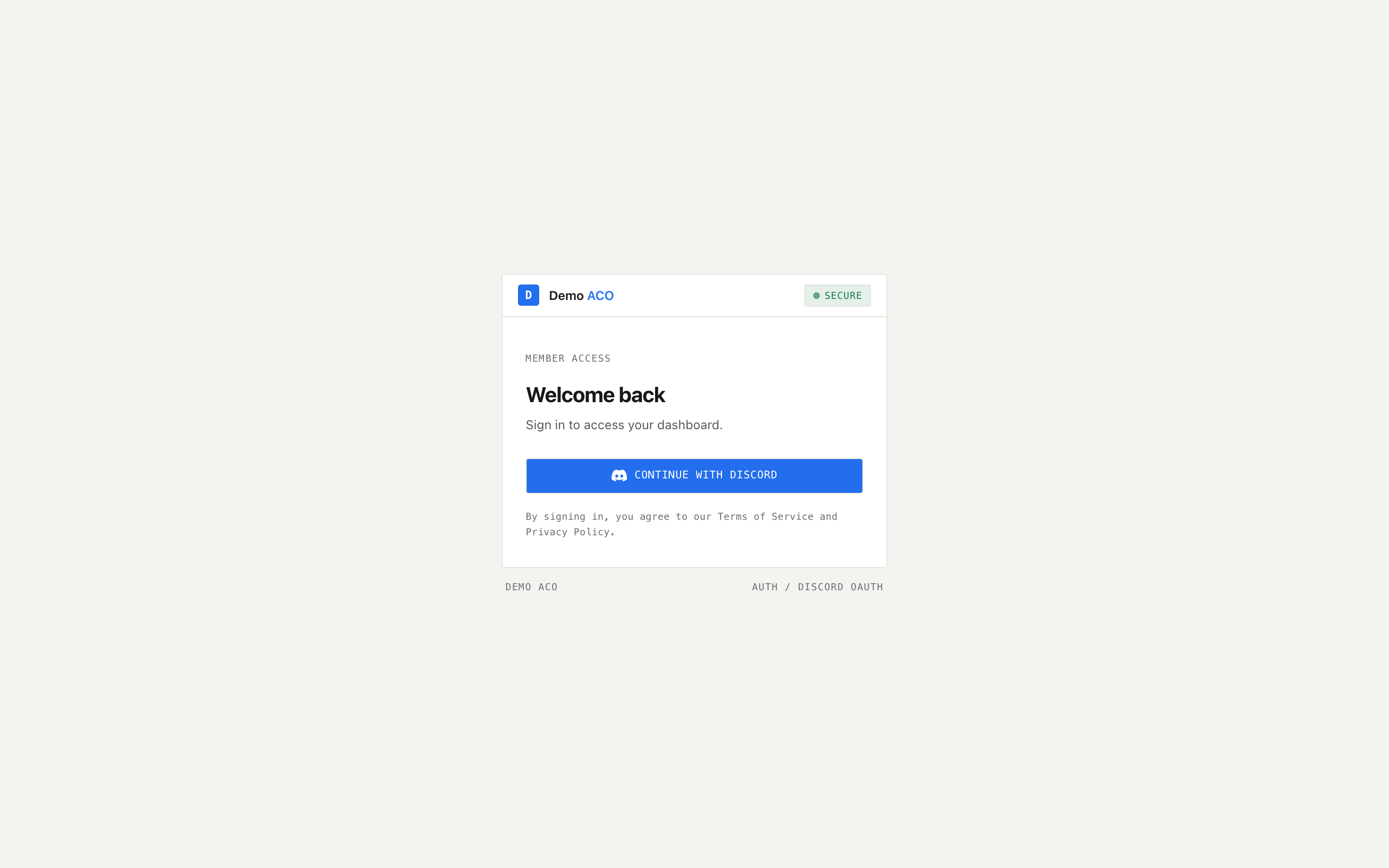
Go to your group's URL. If you are not signed in, you land on a single card: the group's logo and name, a **Secure** indicator, the heading **Welcome back**, and one button — **Continue with Discord**.
The whole sign-in page. The logo and name at the top are your group's, not ACO Service's.
Click the button once. It changes to **Redirecting to Discord...** and disables itself while the browser navigates — a second click would fire a second authorization request over the first, so the button deliberately stops responding.
## What Discord asks for, and why
Discord shows a consent screen listing three permissions. All three are requested every time:
| Scope | What it gives us | Why it is needed |
| ---------- | ----------------------------------------- | ------------------------------------------------------------------------------------------------------------------------------------------------------------------------- |
| `identify` | Your Discord user ID, username and avatar | Your user ID *is* your account here. It is how checkouts, tab charges and DMs get matched to you. |
| `email` | The email on your Discord account | Stored on your account record and shown on your Settings page. Nothing is emailed to you — the bot DMs you on Discord instead. |
| `guilds` | The list of servers you are in | Requested by the sign-in app, but the site does not read it. Whether you are in the group's server is answered by the group's own bot, which can see the server directly. |
None of these lets anyone post as you, read your messages, or join servers on your behalf.
## Why the consent screen shows your group's name
Each tenant registers its own Discord application, and the site uses that tenant's Client ID and Client Secret for sign-in. So the consent screen says the name of your group's app — not "ACO Service".
That is correct, and it is a useful signal. If you are signing into a group's site and the consent screen names a different organisation, that tenant has not finished supplying its own Discord credentials and is falling back to the platform's app. Tell the group's admin.
## What happens after you approve
Discord sends you back to the site and several things are resolved at once:
1. Your Discord account is linked to a user record on this tenant.
2. The tenant's bot is asked whether you are in the group's Discord server, whether you are a registered ACO member, and whether you hold bot permissions.
3. Those answers become your session, and you land on your Overview (or on `/platform`, if you signed in on the platform admin subdomain).
Those checks are re-run roughly every five minutes while you stay signed in. If an admin registers you — or removes you — you do not have to sign out and back in, but the change is not instantaneous either.
## "Access denied"
{% hint style="info" %}
Signing in successfully and having access are two different things. Discord authorizing you only proves who you are. Whether you may use the dashboard is the group's decision, recorded separately.
{% endhint %}
If you are not a registered ACO member, you are redirected to a page headed **Access Denied**, reading *"You are not a registered ACO member."* It tells you an admin must add you using the `/aco-member` command in Discord, and offers a single **Sign Out** button. There is nothing you can do from that page to grant yourself access, by design. The attempt is logged for the group's admins.
To get in, a group admin has to register you — either with `/aco-member add` in the Discord server, or from the **Customers** page of the admin console. Ask in the group's Discord.
{% hint style="warning" %}
If *nobody* in a group can get past Access Denied, and the group is newly set up, suspect the bot token. Without it the bot never logs into Discord, so `/aco-member add` does not exist as a command and no one can be registered. See [The bot is offline or missing](/acoservice-documentation/troubleshooting/bot-unresponsive.md).
{% endhint %}
## Sign-in errors
If sign-in fails, the card shows a red message above the button.
| Message | What it means |
| --------------------------------------------------------------------------------- | ----------------------------------------------------------------------------------------------------------------------------------------------------------------------------------------------------------------------------------- |
| "This site is restricted to the platform administrator." | You tried to sign in on the platform admin subdomain with an account that is not the platform admin. Members and tenant admins should use their group's own URL, not the admin subdomain. |
| "Sign-in failed (…). Please try again or contact an admin if the issue persists." | Something went wrong in the Discord exchange. The code in brackets is what an admin will want to know. Most often the tenant's Client Secret is wrong or expired, or the redirect URL is not registered on the Discord application. |
More causes and fixes: [Troubleshooting](/acoservice-documentation/troubleshooting/sign-in.md).
## Signing out
Sign out from the user menu at the top right of the member area, or from the sidebar in the admin and platform consoles. It ends your session here only — you stay signed into Discord.
## Next
* [Finding your way around](/acoservice-documentation/getting-started/navigation.md)
* [Your dashboard](/acoservice-documentation/for-members/dashboard.md)
---
# Agent Instructions
This documentation is published with GitBook. GitBook is the documentation platform designed so that both humans and AI agents can read, navigate, and reason over technical content effectively. Learn more at gitbook.com.
## Querying This Documentation
If you need additional information that is not directly available in this page, you can query the documentation dynamically by asking a question.
Perform an HTTP GET request on the current page URL with the `ask` query parameter, and the optional `goal` query parameter:
```
GET https://acoservice.gitbook.io/acoservice-documentation/getting-started/signing-in.md?ask=&goal=
```
`ask` is the immediate question: it should be specific, self-contained, and written in natural language.
`goal` is optional and describes the broader end goal you are ultimately trying to accomplish on behalf of the user. GitBook uses it to tailor the answer towards what is most useful for that goal.
The response will contain a direct answer to the question and relevant excerpts and sources from the documentation.
Use this mechanism when the answer is not explicitly present in the current page, you need clarification or additional context, or you want to retrieve related documentation sections.