> For the complete documentation index, see [llms.txt](https://acoservice.gitbook.io/acoservice-documentation/llms.txt). Markdown versions of documentation pages are available by appending `.md` to page URLs; this page is available as [Markdown](https://acoservice.gitbook.io/acoservice-documentation/getting-started/navigation.md).

# Finding your way around

The three navigations — the member top bar, the admin console sub-nav, and the platform console — and who can see each one.

One sign-in, three areas. Which ones you see depends on what you are: a member, a tenant admin, or the platform operator. Every area is guarded at the route, so a link you cannot see is also a URL you cannot open.

## The member top bar

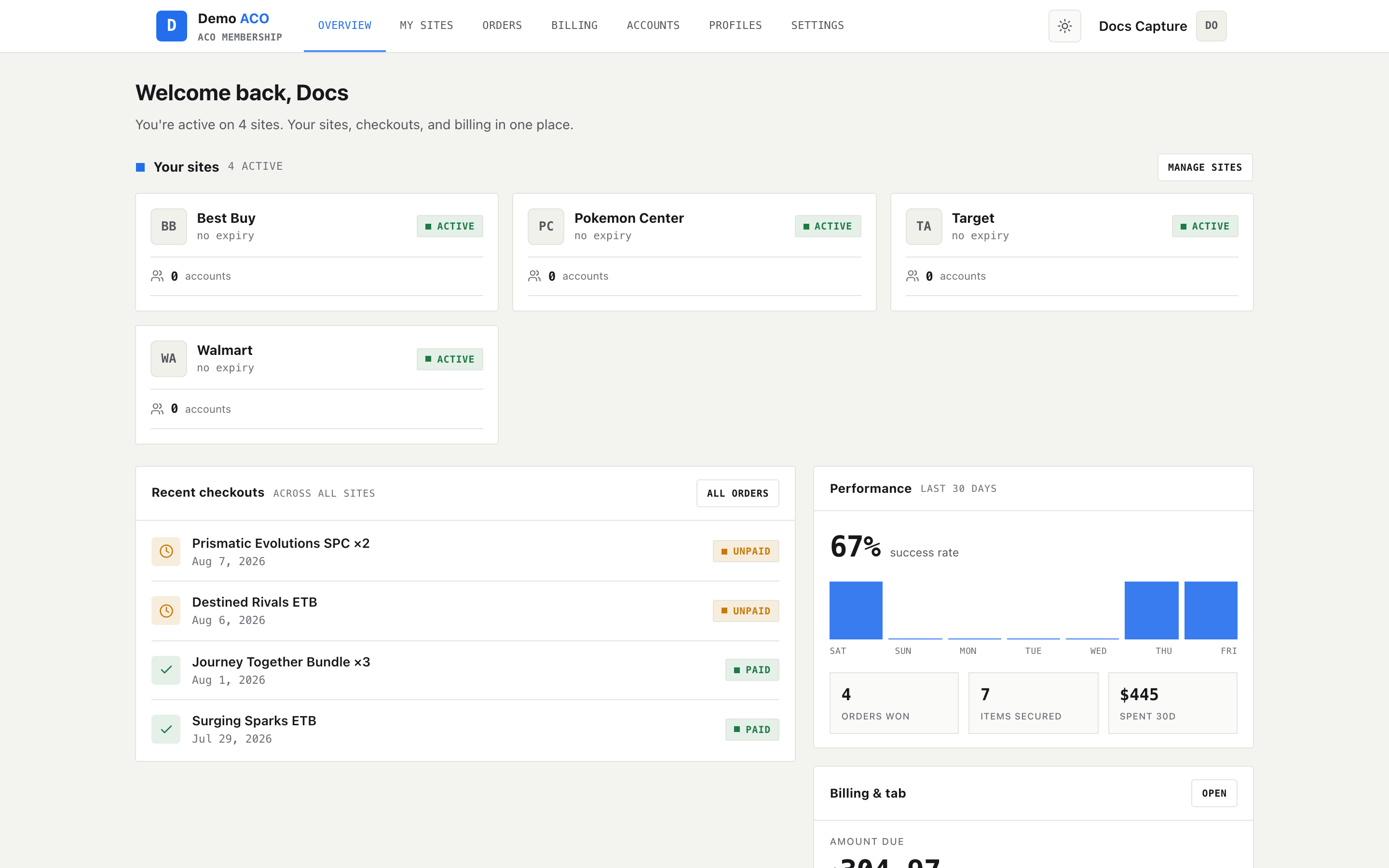
The member area is a single horizontal bar pinned to the top of the page. On the left, the group's logo and name with **ACO membership** underneath. In the middle, the navigation. On the right, a light/dark toggle and your avatar.

<figure><img src="https://619092889-files.gitbook.io/~/files/v0/b/gitbook-x-prod.appspot.com/o/spaces%2FYF2YIy2qTYyy9j61lr0Y%2Fuploads%2Fgit-blob-f9e687fe6b2eccc194ee4dc5ece48794335da235%2Fdashboard.png?alt=media" alt="Member area with the top navigation bar"><figcaption><p>The member top bar. The active section is marked with an underline, not a filled tab.</p></figcaption></figure>

The entries, in order:

| Entry    | Goes to      | Shown when             |
| -------- | ------------ | ---------------------- |
| Overview | `/dashboard` | Always                 |
| My sites | `/forms`     | Forms enabled          |
| Products | `/skus`      | SKU management enabled |
| Orders   | `/checkouts` | Always                 |
| Billing  | `/billing`   | Billing enabled        |
| Accounts | `/accounts`  | Forms enabled          |
| Profiles | `/profiles`  | Profiles enabled       |
| Settings | `/settings`  | Always                 |

Two of those URLs do not match their labels — **My sites** lives at `/forms` and **Products** at `/skus`. Useful to know if someone sends you a link.

Overview, Orders and Settings are always present. The rest are per-tenant features. When a feature is off the entry is gone *and* the route is blocked: navigating to it directly bounces you to `/dashboard`.

### The user menu

Clicking your name or avatar opens a small menu:

* **Admin** — only if you have admin rights on this tenant. Takes you to the admin console.
* **Platform** — only for the platform admin, and only on the platform admin subdomain.
* **Discord** — opens the group's Discord invite in a new tab.
* **Sign out.**

If a platform admin is viewing the site as one of your members, the menu is headed **Impersonating** and the avatar carries a warning-coloured border. In that state the Admin link is hidden, and the admin console is unreachable.

## The admin console

The admin console is at `/admin` on the same site. The only way in from the member area is the **Admin** entry in the user menu.

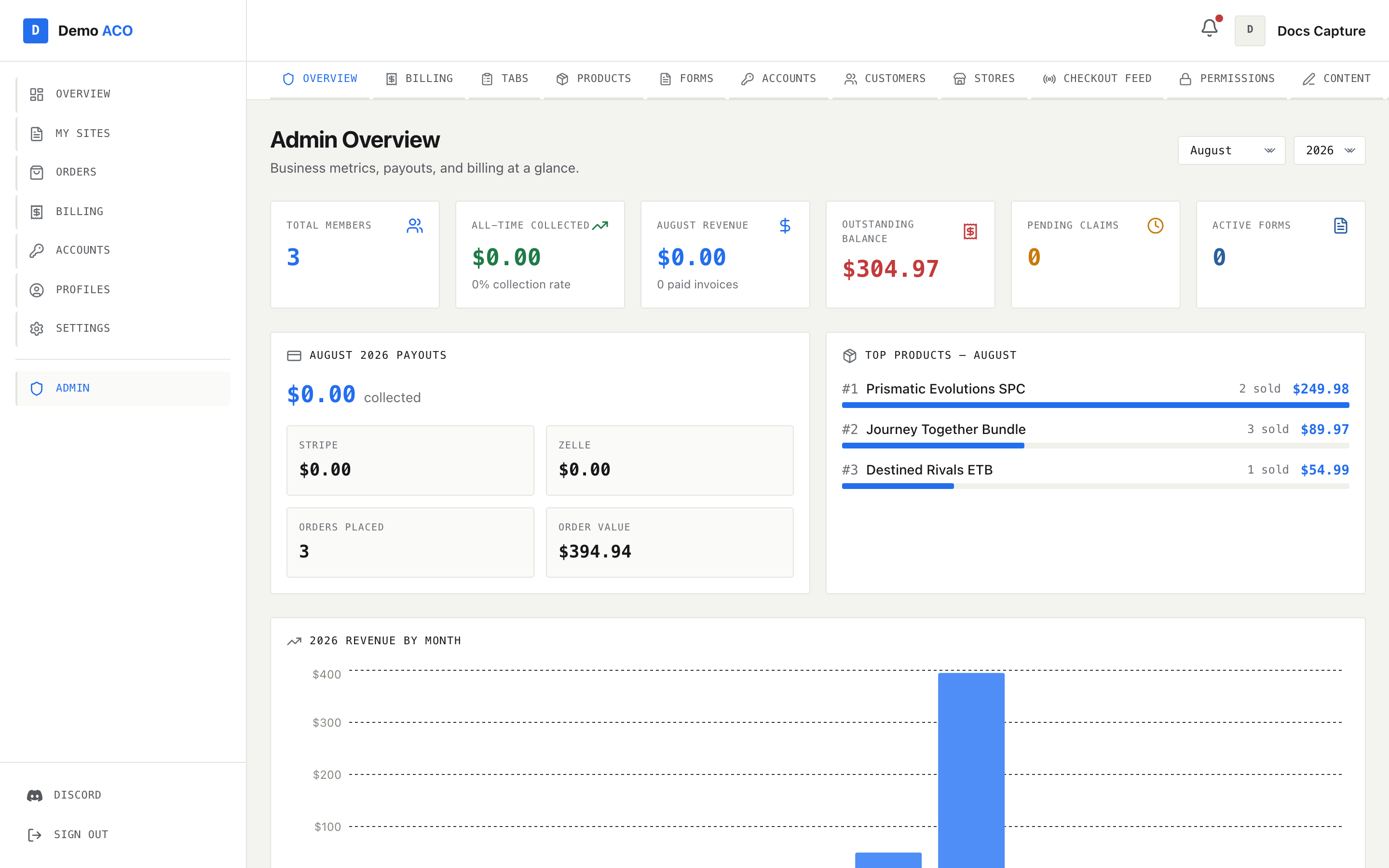
Its layout differs from the member area, which has no sidebar at all: the console adds a left sidebar (your member sections, plus Admin, plus Platform if you have it), a top bar, and beneath that a **second row of navigation** — the admin sub-nav. That sub-nav is the admin console. It scrolls horizontally on narrow screens, so on a laptop some entries may sit off the right edge. The sidebar itself is hidden below large screens.

<figure><img src="https://619092889-files.gitbook.io/~/files/v0/b/gitbook-x-prod.appspot.com/o/spaces%2FYF2YIy2qTYyy9j61lr0Y%2Fuploads%2Fgit-blob-2ff5818e7d62860db448dca42725d129dd371bb2%2Foverview.png?alt=media" alt="Admin console overview with the admin sub-navigation row"><figcaption><p>The admin console. The sub-nav row under the top bar is what you navigate with; it scrolls sideways when it does not fit.</p></figcaption></figure>

| Entry          | Goes to              | Shown when                  |
| -------------- | -------------------- | --------------------------- |
| Overview       | `/admin`             | Always                      |
| Billing        | `/admin/billing`     | Billing enabled             |
| Tabs           | `/admin/tabs`        | Always                      |
| Products       | `/admin/products`    | Always                      |
| Forms          | `/admin/forms`       | Forms enabled               |
| Accounts       | `/admin/accounts`    | Forms enabled               |
| Customers      | `/admin/customers`   | Always                      |
| Stores         | `/admin/stores`      | Always                      |
| Checkout Feed  | `/admin/feed`        | Checkout feed enabled       |
| SKU Management | `/admin/skus`        | SKU management enabled      |
| Permissions    | `/admin/permissions` | Always                      |
| Content        | `/admin/content`     | Tenant admins only          |
| Branding       | `/admin/branding`    | Tenant admins only          |
| Settings       | `/admin/settings`    | Always                      |
| Docs           | This handbook        | Always — opens in a new tab |

**Content** and **Branding** are the two entries restricted by role rather than by feature flag. Everything else in the console is open to anyone with admin access, but those two write tenant-level settings, so they are limited to registered tenant admins. If you got your admin access through Discord bot permissions rather than being a registered tenant admin, you will not see them — that is deliberate. Previously they were visible and every action failed.

Admin access itself is re-checked against the current tenant on every load, not read from a cached session. If you lose it mid-session, the next page load sends you to `/dashboard`.

## The platform console

The platform console is for whoever runs ACO Service itself — creating tenants, provisioning their bots, and managing the shared target-SKU catalogue. It is not part of running a group.

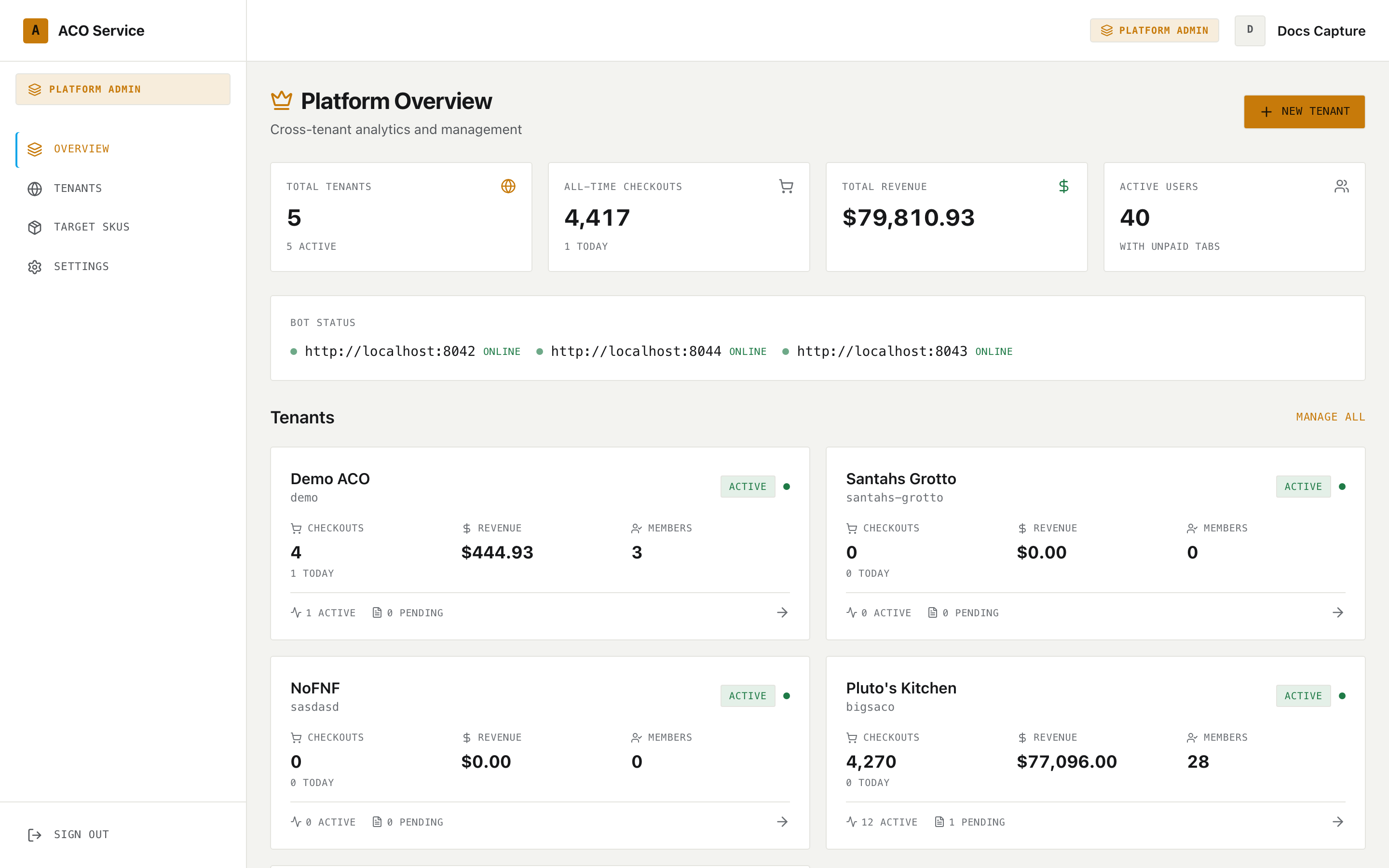
It uses a left sidebar with a **Platform Admin** badge, four entries, and Sign Out at the bottom. On narrow screens the sidebar collapses into a menu opened from the top bar.

<figure><img src="https://619092889-files.gitbook.io/~/files/v0/b/gitbook-x-prod.appspot.com/o/spaces%2FYF2YIy2qTYyy9j61lr0Y%2Fuploads%2Fgit-blob-7c729b451b1b149603ff1edccde34a3814c35479%2Foverview.png?alt=media" alt="Platform console overview with the platform sidebar"><figcaption><p>The platform console. The amber "Platform Admin" badge above the nav is how you know which console you are in.</p></figcaption></figure>

| Entry       | Goes to              |
| ----------- | -------------------- |
| Overview    | `/platform`          |
| Tenants     | `/platform/tenants`  |
| Target SKUs | `/platform/skus`     |
| Settings    | `/platform/settings` |

Two conditions gate it: you must be the platform admin, **and** you must be on the platform admin subdomain. A platform admin who opens `/platform` from a tenant's own domain is redirected to `/dashboard` — which surprises people, so check the address bar first.

## Who sees what

| Area                             | Member | Tenant admin                  | Platform admin              |
| -------------------------------- | ------ | ----------------------------- | --------------------------- |
| Member top bar (`/dashboard`, …) | Yes    | Yes                           | Yes                         |
| Admin console (`/admin/*`)       | No     | Yes                           | Yes                         |
| Content and Branding             | No     | Registered tenant admins only | Yes                         |
| Platform console (`/platform/*`) | No     | No                            | Yes, on the admin subdomain |

## Next

* Members: [Your dashboard](/acoservice-documentation/for-members/dashboard.md)
* Tenant admins: [The admin console](/acoservice-documentation/for-tenant-admins/admins.md)
* Platform operators: [Creating a tenant](/acoservice-documentation/for-platform-operators/creating-a-tenant.md)


---

# Agent Instructions
This documentation is published with GitBook. GitBook is the documentation platform designed so that both humans and AI agents can read, navigate, and reason over technical content effectively. Learn more at gitbook.com.

## Querying This Documentation
If you need additional information that is not directly available in this page, you can query the documentation dynamically by asking a question.

Perform an HTTP GET request on the current page URL with the `ask` query parameter, and the optional `goal` query parameter:

```
GET https://acoservice.gitbook.io/acoservice-documentation/getting-started/navigation.md?ask=<question>&goal=<endgoal>
```

`ask` is the immediate question: it should be specific, self-contained, and written in natural language.
`goal` is optional and describes the broader end goal you are ultimately trying to accomplish on behalf of the user. GitBook uses it to tailor the answer towards what is most useful for that goal.

The response will contain a direct answer to the question and relevant excerpts and sources from the documentation.

Use this mechanism when the answer is not explicitly present in the current page, you need clarification or additional context, or you want to retrieve related documentation sections.