> For the complete documentation index, see [llms.txt](https://acoservice.gitbook.io/acoservice-documentation/llms.txt). Markdown versions of documentation pages are available by appending `.md` to page URLs; this page is available as [Markdown](https://acoservice.gitbook.io/acoservice-documentation/for-members/settings.md).
# Settings and notifications
What you can change on your account, and which Discord DMs from your group's bot you can switch off.
The settings page is short on purpose. Your identity comes from Discord, so there is nothing here to edit about who you are — what you control is which DMs the group's bot sends you.
Open **Settings** from the member navigation.
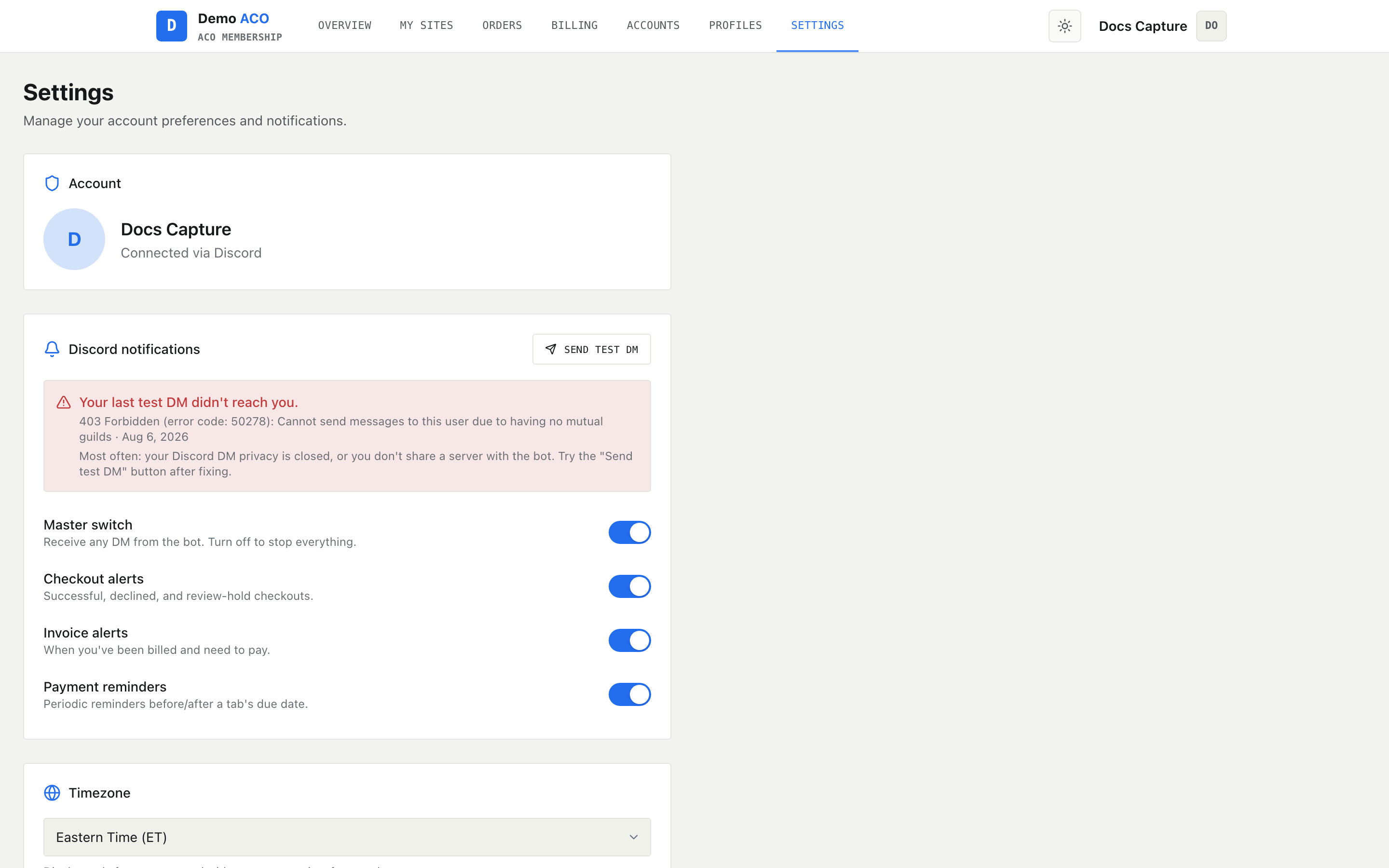
Account details are read-only; the four toggles below them are the real controls.
## Account
Your avatar, display name and the email or Discord identity you signed in with. All of it is read-only and all of it comes from Discord. To change your name or avatar, change them in Discord and sign in again.
## Discord notifications
Four toggles, each covering a category of DM.
| Toggle | What it controls |
| --------------------- | ----------------------------------------------------- |
| **Master switch** | Every DM from the bot. Off means nothing gets through |
| **Checkout alerts** | Successful checkouts, declines, and review holds |
| **Invoice alerts** | Being billed and needing to pay |
| **Payment reminders** | Reminders before and after your tab's due date |
The master switch sits above the other three. Turn it off and the rest grey out and stop responding — there is no point choosing categories when nothing is being sent. Turn it back on and your category choices are as you left them.
Nothing saves as you flip toggles. A bar appears at the bottom of the page reading "You have unsaved changes" with **Discard** and **Save changes**. Until you press **Save changes**, the bot is still going by your old settings. When everything is saved the page instead shows "All changes saved."
{% hint style="info" %}
These preferences are stored against your Discord account rather than against a single server, so a toggle here covers every DM that bot sends you — not just the ones about one drop or one store.
{% endhint %}
### What you cannot turn off
The three category toggles only cover checkouts, invoices and payment reminders. Anything the bot sends that is not one of those kinds is not filtered by category — it is stopped only by the master switch. The one thing no toggle stops at all is the test DM below, which is sent deliberately outside the preference system.
## Send test DM
The button in the notifications header sends you a one-line DM immediately and reports back whether Discord accepted it. Use it whenever you suspect you are missing alerts, before you go looking for a bigger problem.
{% hint style="warning" %}
**A successful test DM does not prove your alerts are on.** The test bypasses your preferences entirely — the master switch included — so it proves only that the bot can reach you. If tests arrive but checkout or invoice DMs do not, the cause is a toggle on this page, not Discord.
{% endhint %}
If the test fails an error notification gives you the reason. The two usual causes are that your Discord privacy settings block direct messages from server members, or that you no longer share a server with the bot. Fix either in Discord and test again; [Members not getting DMs](/acoservice-documentation/troubleshooting/dms-not-arriving.md) walks through the rest.
## The failed-delivery banner
If the bot's last attempt to DM you failed, a red banner appears above the toggles naming the kind of DM, the error Discord returned, and when it happened. It is there so a silent failure does not stay silent — you were meant to get something and did not.
Clear it by fixing your Discord DM privacy and pressing **Send test DM**; the banner is re-checked afterwards.
## Timezone
A dropdown of US timezones — Eastern, Central, Mountain, Pacific, Alaska and Hawaii.
{% hint style="warning" %}
**This setting is display-only and is not saved yet.** The page says so under the dropdown. Changing it does nothing that survives a reload, and it does not affect the timestamps shown elsewhere. Treat it as not yet built.
{% endhint %}
Related: [Notifications and DMs](/acoservice-documentation/discord-integration/notifications.md) for what each DM actually contains, and [Billing and your tab](/acoservice-documentation/for-members/billing.md) for the invoice alerts these toggles govern.
---
# Agent Instructions
This documentation is published with GitBook. GitBook is the documentation platform designed so that both humans and AI agents can read, navigate, and reason over technical content effectively. Learn more at gitbook.com.
## Querying This Documentation
If you need additional information that is not directly available in this page, you can query the documentation dynamically by asking a question.
Perform an HTTP GET request on the current page URL with the `ask` query parameter, and the optional `goal` query parameter:
```
GET https://acoservice.gitbook.io/acoservice-documentation/for-members/settings.md?ask=&goal=
```
`ask` is the immediate question: it should be specific, self-contained, and written in natural language.
`goal` is optional and describes the broader end goal you are ultimately trying to accomplish on behalf of the user. GitBook uses it to tailor the answer towards what is most useful for that goal.
The response will contain a direct answer to the question and relevant excerpts and sources from the documentation.
Use this mechanism when the answer is not explicitly present in the current page, you need clarification or additional context, or you want to retrieve related documentation sections.