> For the complete documentation index, see [llms.txt](https://acoservice.gitbook.io/acoservice-documentation/llms.txt). Markdown versions of documentation pages are available by appending `.md` to page URLs; this page is available as [Markdown](https://acoservice.gitbook.io/acoservice-documentation/discord-integration/slash-commands.md).
# Slash commands
Every slash command your tenant's bot registers, and who is allowed to run each one.
The bot registers its commands globally and then re-syncs them to every server it is in, so new commands show up immediately rather than after Discord's usual propagation delay.
Almost everything below has a fuller equivalent in the admin console or the member dashboard. Slash commands are the shortcut, not the system.
## How permission is decided
Three checks run, in this order, before a command body executes.
**1. Can this person use the bot at all?** A member passes if any of these is true:
* they have Discord's Administrator permission in the server
* no allowlist has been configured (in this server or any server linked to it) — an empty allowlist means everyone
* they are on the allowed-users list, merged across all linked servers
* they hold one of this server's allowed roles
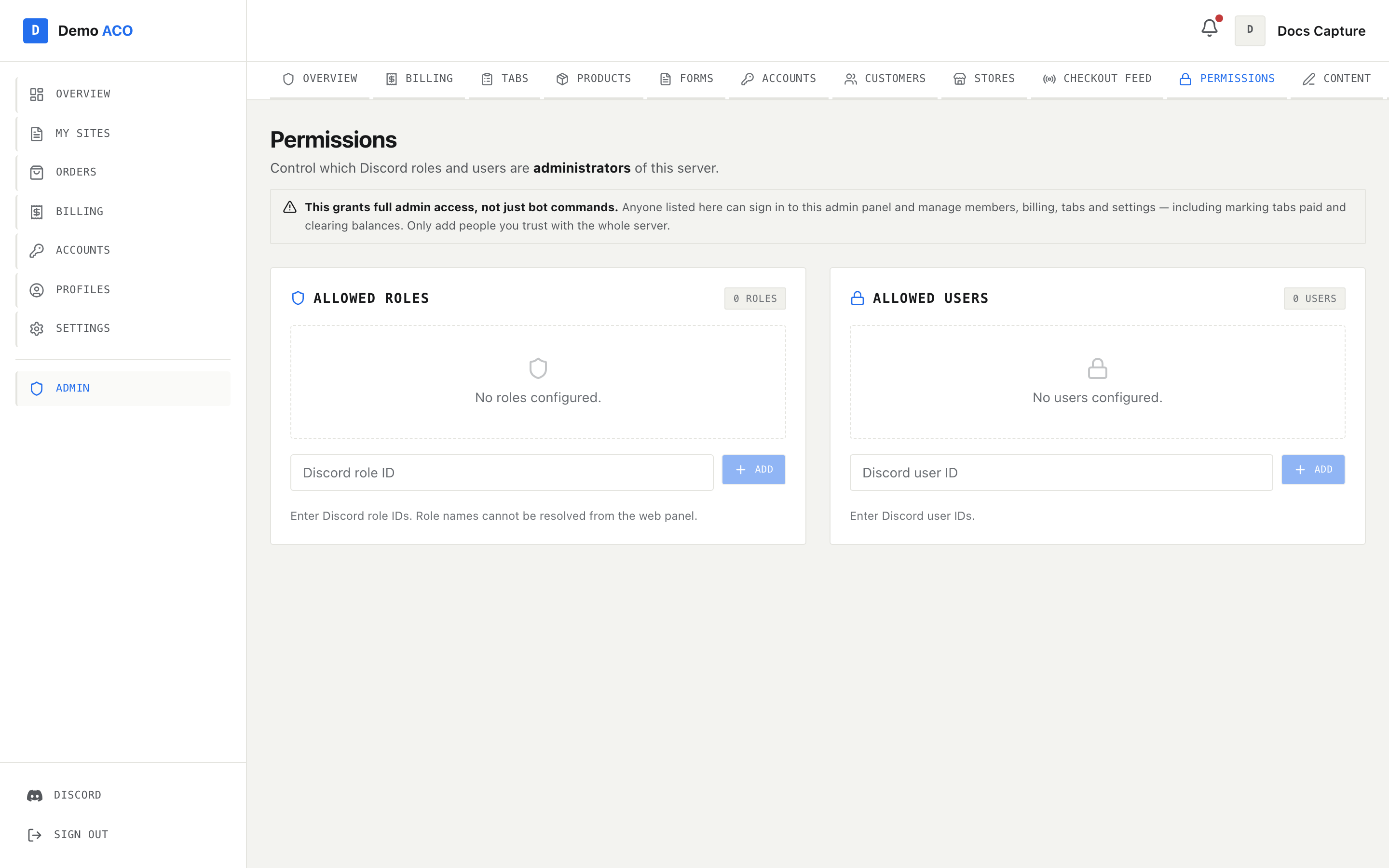
Otherwise they get: *"You don't have permission to use this bot. Ask a server admin to add them."* The allowlist is edited with `/permissions`, or from the [Permissions](/acoservice-documentation/for-tenant-admins/permissions.md) page in the admin console — both write to the same place.
The same allowlist the global check reads. Empty means everyone in the server can use the bot.
**2. Is this server set up?** Guild-scoped commands are refused until an admin has run `/setup` and the server is linked to a live tenant. `/setup`, `/help` and `/profile` are exempt.
**3. Does this specific command need an admin?** Many commands re-check for Discord's Administrator permission and refuse with an ephemeral "Admin only." if you don't have it. Those are marked below.
Nearly every reply is ephemeral — only you see it. Two exceptions are noted below: `/release list` and `/scrape-walmart-plus`, both of which answer in the channel where everyone can read them.
## Member commands
| Command | What it does |
| ------------------------ | ----------------------------------------------------------------------------------------------------------------------------------------------------------------------------------------- |
| `/help` | Opens a paginated command browser. Works in a server that isn't set up yet. |
| `/tab view [user]` | Shows your unpaid and invoiced tab lines with a running total and due date. Passing another member requires admin; otherwise you're told you can only view your own tab. |
| `/submit ` | Starts the in-Discord form flow for a store, using the template an admin configured. Fails if the store code doesn't exist or has no template. |
| `/my-submissions` | Lists your past form submissions with controls to edit or delete them. |
| `/ticket [topic] [user]` | Opens a private support ticket — a channel only you and staff can see. One open ticket per topic. Naming a `user` opens it on their behalf and is staff-only. Requires `tickets_enabled`. |
| `/close` | Closes the ticket in this channel and files its transcript. Staff, or the member the ticket belongs to. |
## Saved cards and addresses — `/profile`
Keyed to your Discord account, not to a server, so it works in DMs and in a server that hasn't been set up. These feed the `/submit` flow.
| Command | What it does |
| --------------------------------------- | ----------------------------------------------------------------------------------------------------------------------------------------------------------------------------------------------- |
| `/profile save-card` | Opens a modal to save a card for reuse |
| `/profile save-address` | Opens a modal to save an address |
| `/profile list` | Lists your saved cards and addresses with their IDs (`c_…`, `a_…`) |
| `/profile delete-card ` | Deletes a saved card |
| `/profile delete-address ` | Deletes a saved address |
| `/profile jig-address [mode]` | Generates a jigged variant of a saved address. `auto` abbreviates street types and directions and invents an apartment line if there isn't one; `manual` opens a modal so you type it yourself. |
The full profile manager — including AYCD import and export — is on the site. See [Profiles](/acoservice-documentation/for-members/profiles.md).
## Profile grouping — `/profile-group`
Your own identifiers, used to work out which checkouts in the feed belong to you. These are per-user, not per-server.
| Command | What it does |
| ----------------------------------------------- | ------------------------------------------------------------------------------- |
| `/profile-group add ` | Adds a string to match inside profile names |
| `/profile-group remove ` | Removes one |
| `/profile-group link ` | Puts an identifier under a named group so several identifiers share one heading |
| `/profile-group unlink ` | Returns a linked identifier to standalone |
| `/profile-group list` | Shows your identifiers and groups |
| `/profile-group clear` | Removes all of them |
## Releases
| Command | What it does | Who |
| ---------------------------------------------------------- | --------------------------------------------------------------------------------------------------------------- | ------ |
| `/release list [status]` | Lists up to 10 releases with signup counts and IDs. **This reply is public** — everyone in the channel sees it. | Anyone |
| `/release signup ` | Signs you up, if slots remain | Anyone |
| `/release cancel ` | Cancels your signup | Anyone |
| `/release create [product] [price] [slots] [date]` | Creates a release; the confirmation carries the new release ID | Admin |
| `/release close <release_id>` | Closes it to further signups | Admin |
| `/release delete <release_id>` | Deletes it | Admin |
## Server setup
| Command | What it does | Who |
| ---------------------------------------------------------------------------------- | ---------------------------------------------------------------------------------------------------------------------------------------------------------------------------------------------------------------------------------------------------------------------------------------------------------------------------------------------------------------- | ----- |
| `/setup` | Links this server to your ACO with a link code from your admin console. If the server is already linked it just reports the tenant name, slug and ID. | Admin |
| `/permissions add-role \| remove-role \| add-user \| remove-user \| list \| reset` | Manages the allowlist from check 1 above. `reset` removes all restrictions, which puts the bot back to "everyone in this server may use it". | Admin |
| `/link-server generate \| connect \| disconnect \| status` | Links two servers so they share data. `generate` produces an 8-character one-time token that expires in 30 minutes; `connect` consumes it from the other side. | Admin |
| `/purge amount \| range` | Bulk-deletes messages in the current channel, either the last N or everything between two message IDs. | Admin |
| `/support panel \| staff-role \| transcripts \| modlog \| status \| tickets` | Configures the ticket system and the moderation log. `staff-role add` is the one to not skip — without it, tickets are visible only to server administrators and nothing in Discord says so. See [Support tickets](/acoservice-documentation/discord-integration/tickets.md) and the [Moderation log](/acoservice-documentation/discord-integration/mod-log.md). | Admin |
## Store and member mapping
These have no separate admin check — anyone who passes the server allowlist can run them. If your allowlist is empty, that means every member. Tighten the allowlist first if that matters to you.
| Command | What it does |
| -------------------------------------------------- | -------------------------------------------------------------------------------------------------------------------------------------------------------------- |
| `/store-code add <code> <store_name>` | Maps an abbreviation like `TG` to `Target` |
| `/store-code remove <code>` / `/store-code list` | Removes / lists mappings |
| `/aco-member add <user> <name>` | Maps a profile group or profile first name to a Discord user, so feed checkouts resolve to the right member |
| `/aco-member remove <name>` / `/aco-member list` | Removes / lists mappings |
| `/form-url set <store_code> <url>` | Stores a Google Sheets URL holding a store's form responses. The store code must already exist via `/store-code add`, and the sheet has to be shared publicly. |
| `/form-url remove <store_code>` / `/form-url list` | Removes / lists stored URLs |
## Checkout feed
| Command | What it does | Who |
| ------------------------------------------------------ | -------------------------------------------------------------------------------------------------------------------------------------------------------------------------------------------------------------------------------------------------- | ------ |
| `/checkout-feed add-source <channel_id>` | Adds a webhook channel to poll. Takes a raw channel ID so it can be in another server, as long as the bot is in that server. Polling starts from the channel's newest message, not its history. | Admin |
| `/checkout-feed remove-source <channel_id>` | Stops polling a source | Admin |
| `/checkout-feed set-output <channel>` | Sets the channel formatted checkout embeds are posted to | Admin |
| `/checkout-feed start` | Enables polling. Refuses unless both a source and an output are configured. | Admin |
| `/checkout-feed stop` | Disables polling | Admin |
| `/checkout-feed status` | Shows enabled state, each source with its last-seen message ID, and the output channel. **No admin check** — anyone past the allowlist can run it. | Anyone |
| `/checkout-feed test <bot_type> <status> [channel_id]` | Posts a fabricated checkout embed into a source channel so you can watch the whole pipeline run. Formats: Shikari, Refract (Prism), Stellara, HiddenAIO. Statuses: Success, Declined, Canceled (Item Demand), Canceled (by Retailer), Review Hold. | Admin |
See [Checkout feed sources](/acoservice-documentation/discord-integration/feed-sources.md) for what each format looks like.
## Tabs — `/tab`
Every subcommand except `view` is admin-only.
| Command | What it does |
| ------------------------------------------------------ | -------------------------------------------------------------------------------------- |
| `/tab add <user> <product> <qty> <price>` | Manually charges a member |
| `/tab discount <user> <amount> [reason]` | Discounts a member's tab. `amount` is either dollars (`5.00`) or a percentage (`10%`). |
| `/tab remove <user> <entry_number>` | Removes a charge by the number shown in `/tab view` |
| `/tab set-price <product> <price>` | Sets a product's default unit price |
| `/tab rename-product <product> <new_name>` | Sets a display name for a product |
| `/tab set-due <user> <date>` / `/tab clear-due <user>` | Sets or removes a due date |
| `/tab set-ticket <user> <channel>` | Maps a member to their ticket channel, which is where tab and reminder posts go |
| `/tab products` | Lists known products and prices |
| `/tab add-product <name> [price]` | Adds a product; price 0 adds it without one |
| `/tab sync-products` | Registers every product already present in tab entries into the products list |
| `/tab fix-prices` | Applies current product prices to unpaid entries still sitting at $0 |
| `/tab summary` | All members with outstanding tabs |
| `/tab history <user>` | Full history including paid entries |
| `/tab export` | Exports outstanding tabs as CSV |
## Billing — `/billing`
All admin-only.
| Command | What it does |
| -------------------------------------------- | ---------------------------------------------------------------------------------- |
| `/billing config` | Shows every billing setting |
| `/billing set-log-channel [channel]` | Sends invoice notifications to a channel instead of admin DMs; empty resets to DMs |
| `/billing set-stripe <action>` | Enables or disables Stripe payments |
| `/billing set-zelle <action> [phone] [name]` | Enables or disables Zelle and sets the recipient details |
| `/billing set-due-days <days>` | Default days until an invoice is due |
| `/billing set-reminders <days>` | Reminder days before due, comma-separated, e.g. `3,1,0` |
| `/billing auto-bill <action>` | Turns automatic billing on or off |
| `/billing auto-bill-schedule <cycle> <day>` | Sets the cycle and day (1–28 monthly, 1–7 weekly) |
| `/billing send <user>` | Invoices one member's unpaid tab |
| `/billing send-all` | Invoices everyone with an unpaid tab |
| `/billing zelle-claims` | Reviews pending Zelle payment claims |
## Form templates — `/form-template`
All admin-only. These define what `/submit` asks members for.
| Command | What it does |
| ----------------------------------------------- | --------------------------------------------------------------------------------------------- |
| `/form-template create <store_code>` | Creates or edits a store's template. The store code must already exist via `/store-code add`. |
| `/form-template view <store_code>` | Shows the template |
| `/form-template remove <store_code>` | Deletes it |
| `/form-template clear-submissions <store_code>` | Clears all in-bot submissions for that store |
| `/form-template set-log-channel [channel]` | Where submission notifications go; omit to clear |
| `/form-template send-guide` | Posts a submission guide with buttons to a channel or a member's ticket |
## Scraping and export
These read other members' checkout data — cards, addresses, order numbers — and the resulting panel can trigger real invoicing and success DMs.
| Command | What it does | Who |
| ---------------------------------------------------------- | ----------------------------------------------------------------------------------------------------------------------------------------------------------------------------- | ------ |
| `/scrape <channel> [from_id] [to_id] [today]` | Reads a channel's webhook embeds, parses them, returns a CSV plus a summary panel with buttons for adding to tabs and invoicing | Admin |
| `/scrape-id <channel> <message_id>` | The same, for a single message | Admin |
| `/scrape-walmart-plus <channel> [from_id] [to_id] [today]` | Scrapes a webhook channel for Walmart+ membership accounts. **This reply is public** — unlike every other scrape command, its result embed and file land in the channel. | Admin |
| `/fetch-profiles <store_code> [csv_file] [source]` | Exports form responses as AYCD profiles. `source` is Google Sheets (default), Discord in-bot submissions, or both; attaching a CSV uses that instead of the stored sheet URL. | Admin |
| `/debug-embed <message_id> [channel] [channel_id]` | Dumps an embed's raw structure — author, title, description, colour, footer, every field | Anyone |
{% hint style="warning" %}
`/debug-embed` has no admin check, and it deliberately accepts a raw `channel_id` so it can read a channel the caller cannot see, as long as the bot can. It exists to diagnose an unrecognised checkout format. If your server's allowlist is empty, any member can use it to dump the contents of an embed from a private channel. Restrict the allowlist with `/permissions` if that is a concern.
{% endhint %}
## Related
* [Permissions](/acoservice-documentation/for-tenant-admins/permissions.md) — the same allowlist, edited on the site
* [Checkout feed](/acoservice-documentation/for-tenant-admins/checkout-feed.md)
* [Billing and invoices](/acoservice-documentation/for-tenant-admins/billing.md)
* [Notifications and DMs](/acoservice-documentation/discord-integration/notifications.md)
---
# Agent Instructions
This documentation is published with GitBook. GitBook is the documentation platform designed so that both humans and AI agents can read, navigate, and reason over technical content effectively. Learn more at gitbook.com.
## Querying This Documentation
If you need additional information that is not directly available in this page, you can query the documentation dynamically by asking a question.
Perform an HTTP GET request on the current page URL with the `ask` query parameter, and the optional `goal` query parameter:
```
GET https://acoservice.gitbook.io/acoservice-documentation/discord-integration/slash-commands.md?ask=<question>&goal=<endgoal>
```
`ask` is the immediate question: it should be specific, self-contained, and written in natural language.
`goal` is optional and describes the broader end goal you are ultimately trying to accomplish on behalf of the user. GitBook uses it to tailor the answer towards what is most useful for that goal.
The response will contain a direct answer to the question and relevant excerpts and sources from the documentation.
Use this mechanism when the answer is not explicitly present in the current page, you need clarification or additional context, or you want to retrieve related documentation sections.