> For the complete documentation index, see [llms.txt](https://acoservice.gitbook.io/acoservice-documentation/llms.txt). Markdown versions of documentation pages are available by appending `.md` to page URLs; this page is available as [Markdown](https://acoservice.gitbook.io/acoservice-documentation/day-to-day-operations/drop-day.md).
# Drop day playbook
What happens automatically during a drop, what to watch, and the few things worth intervening in.
During a drop the system runs itself. The bot polls your source channels, parses each checkout, posts it to your feed channel, DMs the member, and — if auto-accumulate is on — books the charge to their tab. Your job is to watch the places where a failure shows up, not to drive.
## What is happening under the hood
The poller runs on a five-second loop. When no guild has seen a checkout recently it throttles itself to roughly one pass every thirty seconds; the first checkout of the drop switches it to full speed, and it stays there until five minutes pass with nothing new. Each pass reads up to 200 new messages per source channel.
Three things are dispatched per checkout, in this order:
1. **The feed post** goes to your output channel immediately.
2. **The member's DM** is fired concurrently with all the other DMs in that batch.
3. **The tab line** is written straight away, but the *ticket-channel notification about it* is buffered.
That third point surprises people. Tab notifications are accumulated during the busy period and flushed as one consolidated message per member after five minutes of quiet — *"@member — 12 item(s) added to your tab ($240.00)"*, with repeated products collapsed into single rows. You will not see a ticket post per checkout, and their absence during the drop is not a fault. Only members who have a ticket channel mapped to them get these at all.
## Where to watch
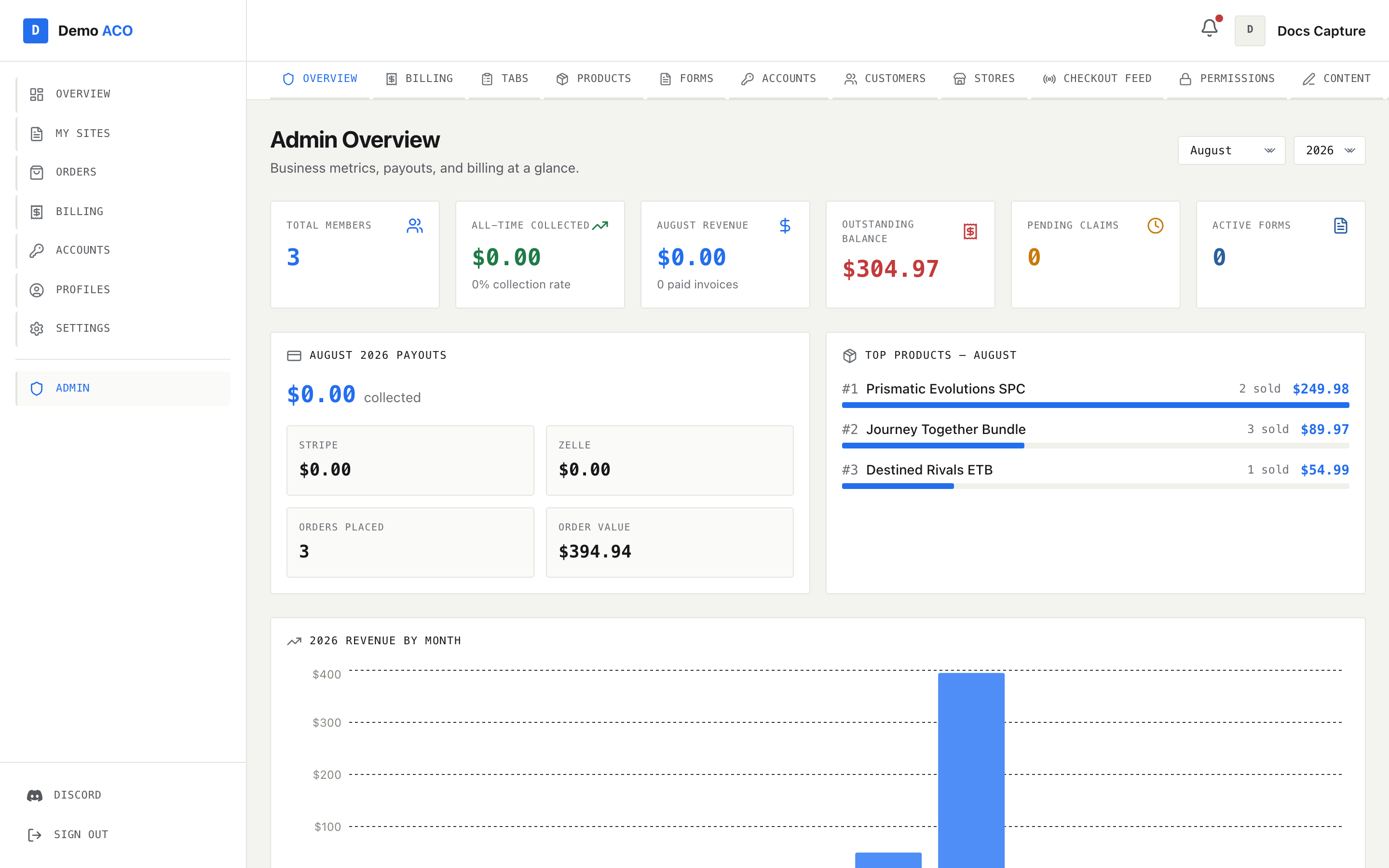
### `/admin` — Overview
Recent Activity is the live-ish view: each row is a tab entry with the member, product, quantity, amount and relative time.
This is where you watch a drop. **Recent Activity** at the bottom of the page lists the last tab entries with relative timestamps ("3m ago") and a status badge. If entries are appearing here, the pipeline is working end to end.
**Outstanding Balance** climbs as charges land. **Total Members** and **Active Forms** do not move during a drop.
Watch for the amber banner reading *"Bot API unavailable — some data may be stale or incomplete."* That means this page could not reach the bot. The numbers on screen are fallbacks, not measurements.
### Your feed channel
The live output. Successes, review holds, declines and cancels all post there, each in its own embed — it is what your members are looking at. If checkouts are visibly landing in a source channel and nothing is reaching the feed, that is the one symptom worth acting on mid-drop — go to [Feed not catching checkouts](/acoservice-documentation/troubleshooting/feed-not-catching.md).
Long gaps between posts at high volume are usually Discord rate-limiting the bot. The bot waits out the retry interval and continues; there is nothing to do.
### `/admin/tabs`
The Tab Summary tree, one row per member: **User**, **Total Owed**, **Entries**, **Due Date**. Expand a member to see their entries grouped by product and price, with **Source**, **Status**, **Date** and **Notes** columns. The three cards below the tree give you **Total Owed**, **Members with Tabs** and **Total Entries** for the whole guild.
Members on free ACO do not appear in the main tree — their entries are written as already-paid, so their balance stays at zero. They are listed separately under **Free ACO Members**, with **Items Free** and **Value Forgone**, so you can still see what is being given away.
### `/admin/customers`
Refresh the health banner occasionally. If it turns amber mid-drop, a profile name is coming through that maps to nobody, and those members are getting no DM and no charge. You can fix it during the drop or afterwards — the checkouts are recorded either way and can be attached retroactively.
### What members see
Members watch their own [Orders and checkouts](/acoservice-documentation/for-members/orders.md) page. It shows counters for **Total**, **Paid**, **Declined / Canceled** and **Pending**, a search box, and filters for All / Paid / Declined / Pending. Rows carry the product image where the checkout embed had one, and for anything that was not a success, the reason underneath the product name — a review hold reads *"… — may be canceled"*.
Expect questions during a drop from members who do not see a row. Nine times out of ten it is an unmatched profile name.
## Things the feed will deliberately not do
These are all silent to a member and visible only in the bot's log, so it is worth knowing they exist:
| Situation | What happens |
| ---------------------------------------------------------------------------------- | ---------------------------------------------------------------------------------------- |
| Embed from a checkout bot with no known field map | Nothing parsed, so nothing booked, DM'd or recorded. Counted and logged |
| Status text the classifier does not recognise | Ignored entirely. Not booked, not DM'd |
| A quantity too large to store | The whole message is skipped — no event, no feed post, no DM |
| A quantity or price that is storable but not billable (a zero price, for instance) | The checkout is still saved, still posted and still DM'd — only the tab line is withheld |
The last row is the one you will meet in practice, and it is why the [pre-drop checklist](/acoservice-documentation/day-to-day-operations/pre-drop-checklist.md) puts pricing before everything else.
## What not to change mid-drop
* **Prices.** A tab entry stamps the unit price at the moment it is created. Changing a price on `/admin/products` affects only entries written after the change; everything already booked keeps the old price and has to be edited entry by entry.
* **Source channels.** Removing one stops the poller reading it. Adding one starts the bot from that channel's current tip, so anything already posted there is not picked up.
* **The output channel.** Changing it takes effect on the next poll; posts already dispatched stay where they went.
* **Feature toggles.** Turning the feed or billing off mid-window stops work in progress. Leave it.
Adding a customer or a missing product mid-drop is safe and often worth doing — new checkouts pick both up immediately.
## When to actually intervene
Only three situations justify touching anything:
1. **The feed has stopped and source channels are still receiving checkouts.** Run the feed preview from the [pre-drop checklist](/acoservice-documentation/day-to-day-operations/pre-drop-checklist.md), find the channel that broke, fix its permissions. The poller resumes from where it stopped.
2. **The bot has gone offline.** You cannot fix this yourself; see [The bot is offline or missing](/acoservice-documentation/troubleshooting/bot-unresponsive.md) for how to identify which of the three failure modes it is, so the report you send is actionable.
3. **A product is booking at the wrong price and the drop is long.** Fix the price so the remaining checkouts are correct, and note that the earlier entries need editing afterwards.
## Keep a note as you go
You will save yourself time later by writing down, as they happen:
* Members who ping about a missing DM — their Discord name is enough.
* Products that booked at the wrong price, and the correct price.
* Profile names showing up unmatched.
* Anything the feed posted that looked wrong.
Every one of these has a fix in [After the drop](/acoservice-documentation/day-to-day-operations/after-the-drop.md), and all of them are easier while you still remember the detail.
---
# Agent Instructions
This documentation is published with GitBook. GitBook is the documentation platform designed so that both humans and AI agents can read, navigate, and reason over technical content effectively. Learn more at gitbook.com.
## Querying This Documentation
If you need additional information that is not directly available in this page, you can query the documentation dynamically by asking a question.
Perform an HTTP GET request on the current page URL with the `ask` query parameter, and the optional `goal` query parameter:
```
GET https://acoservice.gitbook.io/acoservice-documentation/day-to-day-operations/drop-day.md?ask=&goal=
```
`ask` is the immediate question: it should be specific, self-contained, and written in natural language.
`goal` is optional and describes the broader end goal you are ultimately trying to accomplish on behalf of the user. GitBook uses it to tailor the answer towards what is most useful for that goal.
The response will contain a direct answer to the question and relevant excerpts and sources from the documentation.
Use this mechanism when the answer is not explicitly present in the current page, you need clarification or additional context, or you want to retrieve related documentation sections.