> For the complete documentation index, see [llms.txt](https://acoservice.gitbook.io/acoservice-documentation/llms.txt). Markdown versions of documentation pages are available by appending `.md` to page URLs; this page is available as [Markdown](https://acoservice.gitbook.io/acoservice-documentation/readme.md).
# ACO Service
ACO Service gives your group a members' site, a billing system and a Discord bot — all driven from one dashboard.
ACO Service is a **members' website** for automated-checkout groups, with a Discord bot attached to it.
That order matters. Almost everything — joining sites, tracking orders, saving checkout profiles, paying a tab, running the group — happens on **your own website**, at your own domain. The Discord bot handles the parts that genuinely belong in Discord: catching checkout notifications, DMing members, and a handful of slash commands.
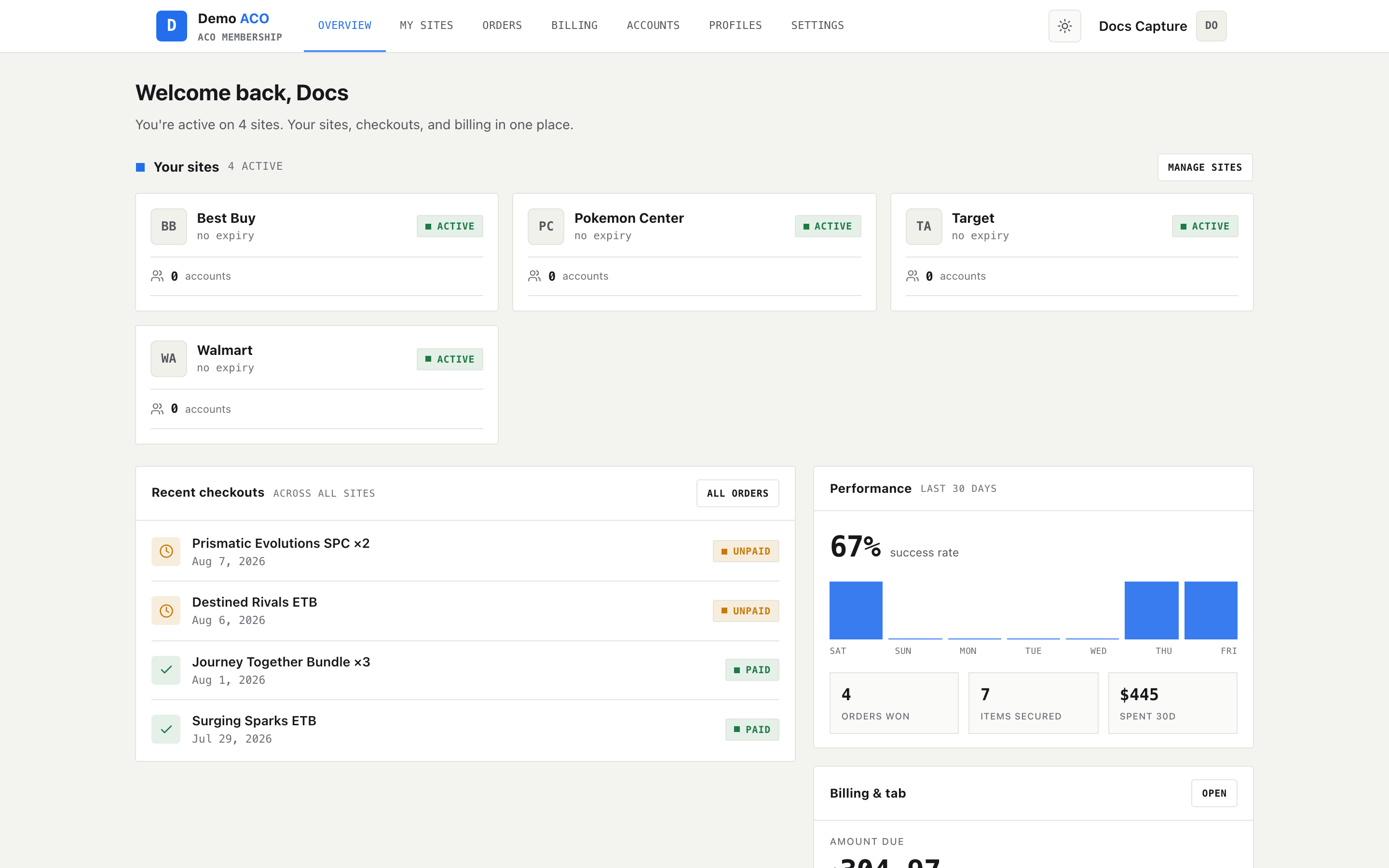
A member's dashboard. Everything a member needs is here, not in Discord.
## Start your own
ACO Service is **self-serve**. You create your ACO yourself, brand it, preview it privately on its real address, and publish it when you are ready — without anyone here touching it.
Building costs nothing. A subscription buys exactly one thing: making your site public.
→ [**Running Your ACO**](/acoservice-documentation/running-your-aco/owners.md) · [**acoservice.app/owner**](https://acoservice.app/owner)
## Who this book is for
Four different people use ACO Service, and each has a section:
| You are… | Start here |
| ------------------------------------------------------ | ----------------------------------------------------------------------------------------------- |
| An **owner** — you run an ACO on the platform | [Running Your ACO](/acoservice-documentation/running-your-aco/owners.md) |
| A **member** of a group — you check out through them | [For Members](/acoservice-documentation/for-members/dashboard.md) |
| A **tenant admin** — you run a group's site day to day | [For Tenant Admins](/acoservice-documentation/for-tenant-admins/admins.md) |
| A **platform operator** — you host and support tenants | [For Platform Operators](/acoservice-documentation/for-platform-operators/creating-a-tenant.md) |
Owner and admin are usually the same person: *owner* is the business side — creating, branding, publishing, paying. *Admin* is the daily side — customers, tabs, invoices, orders.
Running one? The [operator Discord](/acoservice-documentation/community/community.md) is other people doing the same thing, plus staff.
## The shape of the system
Each group is a **tenant**: its own site at `yourslug.acoservice.app` (or your own domain), its own branding, its own members and billing, and **its own Discord bot**.
{% hint style="warning" %}
**Every tenant runs its own Discord bot, from its own Discord application.** That application provides three separate credentials — a Client ID, a Client Secret and a **Bot Token** — and the platform needs all three. Handing over the first two gives you a site that works perfectly and a Discord server with no working bot at all.
This is the most common onboarding mistake. [Your Discord application](/acoservice-documentation/setting-up-your-tenant/discord-application.md) walks through all three.
{% endhint %}
## What's new
This book was rewritten for the current site-first product. If you last read it when ACO Service was primarily a Discord bot, the structure has changed: the member area and the admin console are now the main event, and Discord is documented as [an integration](/acoservice-documentation/discord-integration/discord.md) rather than the front door.
---
# Agent Instructions
This documentation is published with GitBook. GitBook is the documentation platform designed so that both humans and AI agents can read, navigate, and reason over technical content effectively. Learn more at gitbook.com.
## Querying This Documentation
If you need additional information that is not directly available in this page, you can query the documentation dynamically by asking a question.
Perform an HTTP GET request on the current page URL with the `ask` query parameter, and the optional `goal` query parameter:
```
GET https://acoservice.gitbook.io/acoservice-documentation/readme.md?ask=&goal=
```
`ask` is the immediate question: it should be specific, self-contained, and written in natural language.
`goal` is optional and describes the broader end goal you are ultimately trying to accomplish on behalf of the user. GitBook uses it to tailor the answer towards what is most useful for that goal.
The response will contain a direct answer to the question and relevant excerpts and sources from the documentation.
Use this mechanism when the answer is not explicitly present in the current page, you need clarification or additional context, or you want to retrieve related documentation sections.